
How to create a simple fake virus for windows by using the nircmd utility.

Have you ever dreamed of creating a fake virus yourself to play a prank by installing the virus on your friend computer and a making a fool of him. If Yes then this post is of great interest to you.
So what would you like to do with a virus to make your friend believe that a virus has infected his/her computer.
Hmm….let me guess?
1. Suddenly Opening and closing of cd drive.
2. Power off the monitor.
3. Log out the user out of windows xp.
4. Turn off the computer.
5. And much more….well actually any of the above events combination can make any windows user thinks that his/her system is infected.
Tag :
Virus Tricks
Think twice before you post anything on social networking sites.

Social networking sites allow you to express yourself and keep in touch with friends by exchanging messages or comments and posting personal profiles describing who you are and your interests, blogs or online diaries, photos, creative writing, artwork, videos, and music. Instant Messaging (IM) and sharing online profiles are popular forms of social networking.
If practiced safely, there can be many positive aspects of social networking. You can connect with friends and seek like-minded individuals. However, you should understand how posting too much information on your profile and communicating with people you’ve only met online can put you in potential danger.
BEWARE!
DID YOU KNOW???
Some sites and services ask you to post a “profile” with your age, sex, hobbies, and interests. While these profiles help you connect and share common interests, potential exploiters can and do use these profiles to search for victims.
Users may pose as someone else — a different person or a person of a different age — without others knowing. Such users have taken advantage of this and this aspect of social-networking profiles to entice or sexually exploit teens.
You can’t “take back” the online text and images you’ve entered. Once online, “chat” as well as other web postings become public information. Many web sites are “cached” by search engines, and photos and text can be retrieved long after the site has been deleted.
Teens have been punished by their families; denied entry into schools; and even not hired because of dangerous, demeaning, or harmful information found on their personal sites or blogs.
Tag :
Site Tricks
Facebook, Twitter, WordPress Fail Security Report.

Facebook, Twitter, and WordPress have failed a security exam conducted by "security think tank" Digital Society, highlighting old vulnerabilities most recently displayed by the spread of Firesheep.
Gmail and WordPress, which use an encryption and identification process known as SSL, received A's. Google scored a C, Yahoo and Amazon received a C-, and Hotmail and Flickr received a D-.
The main reason Twitter and Facebook failed is because neither uses complete SSL authentication, according to the report. In other words, a user can't know for sure if the authentication page they think they're visiting is actually HTTP. WordPress without SSL, the free version commonly used by personal bloggers, also lacked SSL authentication for logins.
A Facebook spokesman said the company has "been making progress testing SSL access across Facebook and hope to provide it as an option in the coming months."
Tag :
Site Tricks
5 Useful Applications For A USB Drive
We all love our USB drives, don’t we? You should probably be using someportable apps on your USB drive.
In this post, I want to cover a few apps that will make managing your USB drive easier. In essence I’ll talk about tools that can be used to make things easier if you’ve got a USB drive – not about apps that work from your drive.
So here we go - five applications to make things easier if you’re using a USB thumb drive.

1) Prevent Virus Infections on your USB Thumb Drive with ThumbScrew
If you’re working on a system that’s probably infected with viruses, you wouldn’t want to see your USB thumb drive get infected by the same – they probably have some backups of your data that you cannot afford to lose. However, if you’re in an inevitable situation where you really have to access the USB drive do so after you install ThumbScrew.
ThumbScrew can be used to write-protect your USB drive so that malware from your computer doesn’t spread to it. Download and launch the app, right click the System Tray icon and choose ‘Make USB Read Only’. Nothing could be written to the USB Drive, you’re completely protected from infections spreading to your disk from your computer.
2) Eject USB Devices Quickly with USB Disk Eject
Windows does give you options to eject your USB drives – we all use that by clicking on the ‘Safely Remove Hardware’ option in the System Tray. But have you ever thought it’s too cumbersome and the list confuses you more than helps you remove thatparticular device?
People who’ve got multiple USB Devices connected to their system will have really felt this annoyance as the hardware remove dialog doesn’t make it clear which option removes what device.
Here’s the solution: Download this tiny but functional app called USB Disk Eject. Just double-click when you need to remove a USB drive and a window will pop up listingthe devices connected to your system via USB. Each device is labelled clearly and legibly. Just double-click on the one that you want to get removed and you’re done.
Tag :
Comp Tricks,
Virus Tricks
How to use your Gmail space as your hard disk
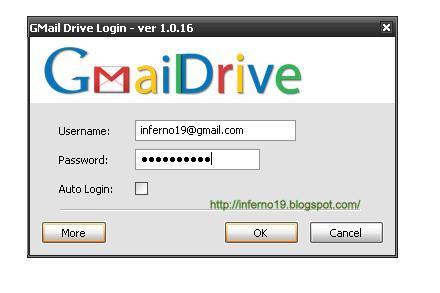
If you are having extra space on your Gmail account and you are running out of space on your hard disk. Then you can use that free Gmail space as a hard drive. Using a cool freeware program called Gdrive will create an extra drive inside My Computer and every time you use this drive i.e. use files from it, is actually downloading and uploading to your Gmail account.
1> First download Gmail Drive
2> Extract the files from the downloaded file and click Setup.
Tag :
Site Tricks
How to protect your facebook account from hackers...

Over the past week, Facebook has been nudging its users - first gently, then firmly - to review and update their privacy settings.
You may have procrastinated by hitting "skip for now," but Facebook eventually took away that button and forced you to update your settings before continuing to use the site.
After finally accepting Facebook's recommendations or tweaking the privacy settings yourself, though, you might have made more information about you public than what you had intended.
At the same time, Facebook has given users many granular controls over their privacy, more than what's available on other major social networks.
So if you want to stay out of people's view, but still want to be on Facebook, here are some things to look out for as you take another look at your settings.
Just follow these 10 steps...
1. Some of your information is viewable by everyone.
Everyone can see your name, your profile photo and the names of work and school networks you're part of. Ditto for pages you are a fan of. If you are worried about a potential employer finding out about a quirky fetish or unorthodox political leaning, avoid becoming a Facebook fan of such groups. You can't tell Facebook you don't want those publicly listed. Your gender and current city are also available, if you choose to specify them. You can uncheck "Show my sex in my profile" when you edit your profile if you don't want it listed, and you can leave "Current City" blank.
2. Your list of friends may also be public.
Facebook also considers your friends list publicly available information. Privacy advocates worry that much can be gleaned from a person's list of friends — even sexual orientation, according to one MIT study. But there is a way to hide the list. Go to your profile page and click on the little blue pencil icon on the top right of your box of friends. Uncheck "Show Friend List to everyone." Either way, those you are already friends with can always see your full list.
Tag :
Hacks,
Site Tricks
Send Email in Mission Impossible Style [Self Destruct]
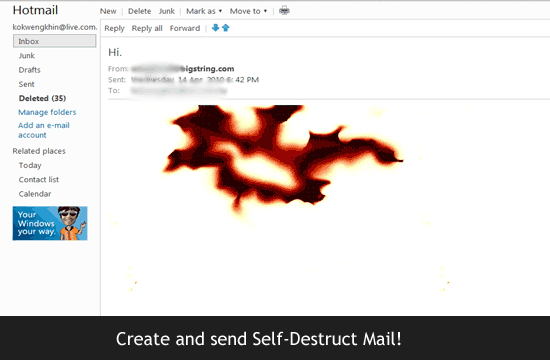
You might remember the world famous movie scene from Mission Impossible in which after the message has been heard once the message destroys itself. Now it is possible for everybody to have such facility. You can send an E-mail which destroys itself after it has been read once.
Every time that you send an email, copies are stored permanently on multiple email servers as well as the recipient’s inbox and anyone they decide to send it to. Your emails can be stored and scanned in more places than you can imagine. Do you want people storing your email messages forever?
Do you want something that you type today to be used against you tomorrow, next week, next month or even in the next decade?
Until now, everyone else has had control of the email that you have sent. BigString gives you back control of your email, acting like an automatic shredder for your email. You can self-destruct or change an email that’s already been sent or read. Don’t leave your messages sitting in peoples’ inboxes forever. Get a free BigString email account to protect your privacy.
BigString takes the risk out of email
Now, with BigString, you can finally take the risk out of email and put an end to “sender regret.” It is the world’s first & only email service that thoroughly protects your safety and privacy.
Tag :
Hacks,
Site Tricks





.jpg)


